LOOKPORT / TICKETING & EVENT BUDGETING
Stop Door Time Failures: Guest List Management for UK Event Operators
Operator first guest list for UK events: one master dataset, offline capable check-in, role permissions, and a clear retention schedule. See how Lookport...

Use one central guest dataset driven by RSVP or ticketing, paired with an offline-capable check-in app, and you avoid the door-time failures that ruin an otherwise well-run event. This pattern keeps attendee records accurate from invite to reconciliation. Two priorities sit above everything else: UK GDPR applies to every guest list you hold, and you must test offline sync before doors open. Some ticketing platforms incorporate such a pattern into their workflow for ticketed events.
TL;DR:
- Using an offline-capable check-in app linked directly to a guest list minimizes door-time failures and streamlines attendee verification.
- Building a single, deduplicated master list with a unique ID before invitations and maintaining consistent schema reduces last-minute errors and manual re-entry.
- For ticketed events, ensure the platform supports QR or barcode scanning tied to individual records, with role-based permissions and robust reporting features.
- UK GDPR requires explicit consent at signup, proper retention schedules, and careful handling of special-category data, especially when merging UK and EU attendees.
- Final checks 48 to 72 hours before an event, including offline testing, staff briefings, and sync rehearsals, are essential to prevent last-minute check-in issues.
Table of Contents
- What does guest list management mean for different event types?
- What is the end-to-end guest list workflow?
- What features and fields should a guest list platform have?
- How does UK GDPR apply to guest lists?
- How do you handle check-in and last-minute changes on the day?
- What are the most common guest list mistakes?
- Why Lookport is a practical way to run this workflow
- Sources
- FAQ
What does guest list management mean for different event types?
Guest list management changes shape depending on what you’re running. A wedding with 120 confirmed guests behaves nothing like a 3,000 capacity ticketed show, even though both need an accurate list at the door.
The core split is between RSVP-based events and ticketed events. RSVP events (weddings, private parties, most corporate functions) rely on invitees confirming attendance, often with plus-ones and dietary requirements attached. Ticketed events replace the RSVP with a purchase, so the “guest list” is really a live transaction record: who paid, what tier, and whether the ticket has been scanned. Capacity and access rules follow the same divide. A wedding rarely needs tiered access, but a ticketed show often needs general admission, VIP, and backstage zones tracked separately, each with different scanning rules at different doors.
Which fields matter shifts by event type too:
- Weddings and private parties: plus-one names, dietary and allergy fields, seating table assignment, RSVP deadline reminders.
- Corporate events: company affiliation, dietary and accessibility needs, session or breakout selections, badge printing data.
- Ticketed public shows: ticket tier, order reference, resale/transfer status, entry gate assignment.
- VIP and meet-and-greet: identity verification, access-level tagging, escort or chaperone notes, timed entry slots.
- Press and guest-list-only entries: outlet or affiliation, complimentary allocation limits, separate reconciliation from paid tickets.
Staffing patterns follow the same logic. On a wedding, the couple or a single planner usually owns the list end to end. On a corporate conference, an events coordinator owns registration while a separate operations team runs the door. On a ticketed public show, box office staff own sales and a dedicated door team runs check-in, often with a promoter or venue manager holding override authority for disputes. The bigger the event, the more the ownership of “the list” needs to be split from the ownership of “the door,” with a clear handover point between the two.
What is the end-to-end guest list workflow?
A reliable guest list runs through five stages: import, invite/sell, RSVP or ticket confirmation, day-of check-in, and post-event reconciliation. Skipping a stage, or letting two teams maintain separate copies of the same stage, is where most list problems start.
- Build and deduplicate the master list. Import from spreadsheets, previous events, or a CRM export, then run a deduplication pass on name, email, and phone before anyone is invited. A single canonical attendee ID at this stage saves hours of confusion later, especially across multi-door or multi-session events.
- Design the RSVP or ticket form with the right fields. Decide upfront which fields are required (name, email, consent) versus optional (dietary, accessibility, plus-one). Add explicit consent toggles wherever you intend to share data with sponsors or exhibitors. Consent bolted on after registration is far harder to justify than consent captured at the point of signup, as Jigsaw Conferences notes in its GDPR guidance for events.
- Track status through defined stages. Every record should move through invited, RSVP received, ticket issued, and checked-in, with timestamps at each transition. This is what makes a run sheet meaningful on the day rather than a static export from a week ago.
- Reconcile before the event. Two to three days out, cross-check RSVP or ticket counts against capacity, catering numbers, and any access-tier allocations. Flag mismatches now, not at the door.
- Report and delete after the event. Produce attendance figures for the organiser, then apply your retention schedule. Special-category fields such as dietary or accessibility notes should be deleted once they’ve served their purpose, not left sitting in an export folder.
Design your registration schema so the fields you capture at signup map directly onto the fields your door staff actually use. Mismatched schemas are one of the most common causes of last-minute manual re-entry, which is exactly when transcription errors creep in.
Pro Tip: Give every guest record one canonical ID the moment it enters your master list, and use that ID for every status update afterwards. Name-based matching alone breaks the first time two guests share a surname or a ticket gets transferred.
What features and fields should a guest list platform have?
Before you commit to a platform, or a manual spreadsheet process, run it against a short list of behaviours that separate a workable system from one that fails at the door.
The features that matter operationally:
- Offline-capable check-in, so scanning continues without a live connection and syncs the moment signal returns.
- QR or barcode ticket scanning that maps directly to attendee records rather than a generic “valid/invalid” flag. Platforms that tie scans cleanly to individual records reduce reconciliation errors significantly, according to Zipdo’s comparison of guest list software.
- Role-based permissions, so a door steward can check people in without being able to edit the master list or export contact data.
- Exports and reporting that give you attendance numbers, no-show rates, and tier breakdowns without a manual pivot table.
- API or webhook support, useful if you’re running a tour and need the guest list to talk to a separate CRM or marketing tool.
On the field side, every entry you collect should earn its place. Consent fields aren’t optional decoration: they’re the legal basis for anything you do with the data afterwards. Dietary and accessibility fields need to reach catering and venue staff, not sit unread in an admin panel. Any field tied to invoicing (company name, VAT number) needs to flow into your finance record, not just your guest list.
On trust signals, three questions are worth asking any platform or vendor before you sign anything: do they offer a data processing agreement, do they support PCI DSS for paid transactions, and does the registration flow meet WCAG 2.1 AA accessibility standards. Zendikt’s review of UK event platforms flags PCI DSS and WCAG 2.1 AA support as baseline procurement checks rather than nice-to-haves, particularly for public-facing registration forms.
How does UK GDPR apply to guest lists?
A guest list is personal data the moment it contains a name and an email address, and UK GDPR treats it accordingly regardless of event size. Organisers must pick a lawful basis, most often contract (you need the data to deliver the ticket or invite), legitimate interest (routine event communication), or explicit consent (marketing, sponsor sharing). Osborne Clarke’s guidance on conference delegate lists makes clear that this choice needs to be documented, not assumed.
A privacy notice at registration should say what you collect, why, how long you keep it, and who else sees it. If you’re sharing attendee data with sponsors or exhibitors, that needs its own explicit consent toggle, captured at signup rather than retrofitted afterwards.
Retention and special-category data need particular care:
- Set a deletion date for the full guest record, typically tied to how long you need it for accounting or follow-up.
- Delete dietary and accessibility fields as soon as the event has run; there’s no operational reason to keep them longer, and Jigsaw Conferences’ guidance treats minimisation of special-category data as a baseline expectation.
- Put a data processing agreement in place with any third-party platform or scanning app you use.
- Run a Data Protection Impact Assessment if you’re processing special-category data at scale, or tracking attendees across multiple linked events.
If your event mixes UK and EU attendees, this needs a second layer of thought. Zendikt’s market review points out that post-Brexit data transfers mean organisers should configure separate consent flows or check a platform’s data residency options rather than assume one registration form covers both jurisdictions cleanly.
Pro Tip: Write your retention schedule before you open registration, not after the event. Deciding “we’ll sort deletion later” almost always means the dietary and accessibility data sits untouched for months.
How do you handle check-in and last-minute changes on the day?
Most guest list failures happen in the final 48 hours, when offline sync issues or last-minute name changes don’t reach the door in time. A tested contingency plan, not a bigger spreadsheet, is what prevents the queue backing up.
- Run the 48 to 72 hour checklist. Do a final data import, freeze new RSVPs if your process allows it, and print a backup run sheet as insurance against total device failure.
- Test every device offline. Put check-in devices into airplane mode and simulate scans at each door simultaneously; this exposes sync conflicts before they happen live, not during the queue.
- Brief staff on override procedures. Every door steward should know exactly what to do with a name mismatch, a transferred ticket, or a plus-one who wasn’t on the original list, without needing to find a supervisor for every case.
- Reconcile the moment doors close. Sync all devices, compare the check-in count against tickets issued or RSVPs confirmed, and flag any gap immediately while memory of the night is still fresh.
For ticket transfers and name changes, resist the temptation to simply overwrite a name on the list. Keep the original canonical ID and log the transfer as an event against that ID; this preserves an audit trail and keeps your payment records reconciling cleanly, which matters if a dispute or refund comes up later. Lookport’s ticket scanning and admission tools are built around this kind of status tracking, where each scan updates a single record rather than creating a parallel note somewhere else.
Pro Tip: Rehearse the sync, not just the scan. A device that scans a valid QR code offline is only half the test. The real failure point is what happens when three doors try to sync conflicting updates back to the master list at once.

What are the most common guest list mistakes?
Most guest list failures trace back to a small number of avoidable decisions, usually made early and never revisited.
- A single spreadsheet with no version control. Two team members editing the same file leads to overwritten RSVPs and duplicate entries; move to a shared, status-tracked system before invitations go out.
- Missing or retrofitted consent. Collecting marketing or sponsor-sharing consent after registration closes is legally weaker than capturing it at signup, and harder to defend if challenged.
- No offline plan for check-in. Assuming venue Wi-Fi will hold is the single most common cause of door delays; build and test an offline fallback regardless of venue promises.
- No retention schedule. Data left indefinitely “just in case” increases your compliance exposure for no operational benefit.
If you’re processing special-category data at scale, or your event spans UK and EU attendees with shared sponsor access, involve legal or IT before registration opens, not after a complaint arrives.
Why Lookport is a practical way to run this workflow
Lookport is the direct-payout alternative to platforms that hold your money before passing it on. Ticket proceeds go straight into your own Stripe account, and the workflow this guide recommends, ticketing driving your master guest list into check-in, is exactly how Lookport’s ticketing platform is documented to work.
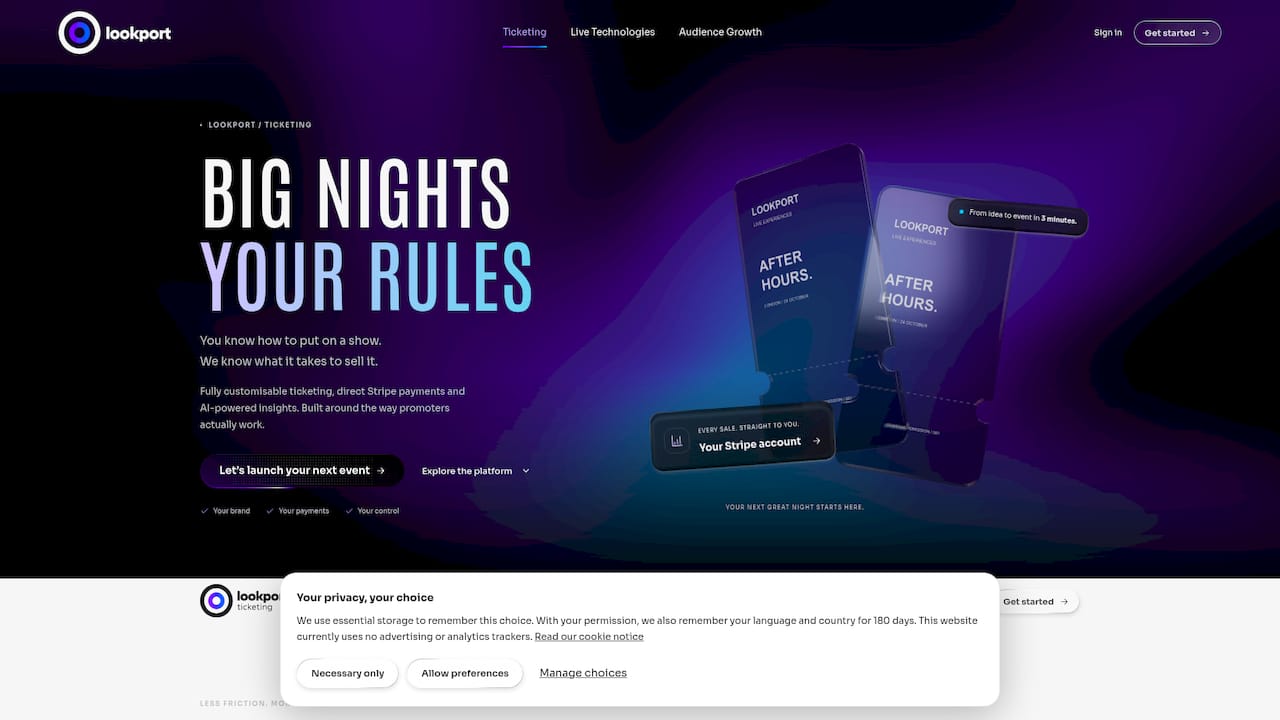
Ticket sales through certain platforms carry a commission fee only, with no additional platform charges, so that fee structures are visible upfront rather than buried in add-ons. That matters when you’re modelling a tour or a one-off show, because ticket revenue, guest numbers, and costs all need to sit in one plan rather than three disconnected tools. If you’re working out whether a show clears its costs at a given ticket price, the tour break-even calculator lets you model ticket price, expected sales, and fixed costs before you commit to a venue or a date.
For teams running community-driven or membership-style events alongside ticketing, partner tools like Tabulah’s community and event management platform cover the visitor-experience side that sits outside pure ticketing.
If you’re setting up an event now, the practical next step is to check your event against the Ticketing feature set, or run your numbers through the break-even calculator before you lock in a date.
Sources
- Conference delegate lists: data protection law protected — Osborne Clarke
- GDPR compliance for events: what UK planners must know — Jigsaw Conferences
- Top 10 Best Guest List Software | 2026 Verified Picks — Zipdo
- Top 10 event management software in the United Kingdom for 2026 — Zendikt
FAQ
What is the best guest list management software?
There’s no single best platform for every event; the right choice depends on whether you’re running an RSVP-based event or a ticketed one. For ticketed shows, look for offline-capable check-in and a platform that ties ticket sales directly to your payout, which is how Lookport’s ticketing is documented to work.
What are the common guest list mistakes organisers make?
The most frequent errors are relying on a single uncontrolled spreadsheet, capturing consent too late to be legally solid, and having no tested offline plan for check-in. Each of these is preventable with a status-tracked master list and a rehearsed door process.
How do I prepare a guest list for an event?
Start by building a deduplicated master list with a canonical ID per guest, then design your RSVP or ticket form so required fields, including consent, match what your door staff will actually need. Reconcile numbers two to three days before the event, not on the day itself.
What is a guest management system?
A guest management system tracks attendees through defined stages, invited, RSVP or ticket confirmed, and checked-in, rather than treating the guest list as a static file. Systems built around offline-capable QR scanning reduce reconciliation errors because each scan updates a single attendee record instead of a separate note.
Recommended
Ticketing & event budgeting
 2026-10-23
Festival Marketing Plan: A UK Promoter's Guide for 2026
Build a festival marketing plan for UK audiences: goals, segments, channel mix, launch timeline, tracking and a budget check that shows your break-even.
 2026-10-22
Ticketing Analytics for UK Promoters: What to Track and Why
Ticketing analytics for UK concert promoters: the metrics that drive decisions, how to set up tracking, and how to tie sales data back to your show budget.
 2026-10-21
Concert Break-Even Calculator: How Many Tickets You Must Sell
Work out how many tickets a UK concert needs to break even. Costs, PRS, ticket commission, a worked example and a free calculator for promoters and venues.
 2026-10-19
Ticket Sales Break-Even Analysis for UK Shows
Work out how many tickets you must sell to cover a UK show: VAT, PRS, fees, fixed costs and a worked example, plus a free break-even calculator.
 2026-10-18
Refund Policy for Concerts: What UK Promoters Must Offer
What UK law and industry rules require when a concert is cancelled, moved or the buyer changes their mind, plus how to write a clear refund policy.
 2026-10-15
Facebook Ads for UK Promoters: Track Ticket Sales Before Spend
UK promoters can set up Meta pixel and Conversions API tracking, choose audiences, estimate ticket costs, and link Facebook ad spend to ticket revenue.