LOOKPORT / TICKETING & EVENT BUDGETING
Geo-Targeting Concert Ads: A UK Promoter's Guide
How to set up geo-targeted concert ads in the UK: choose radius, split tour dates by city, track ticket sales and stay within PECR consent rules.
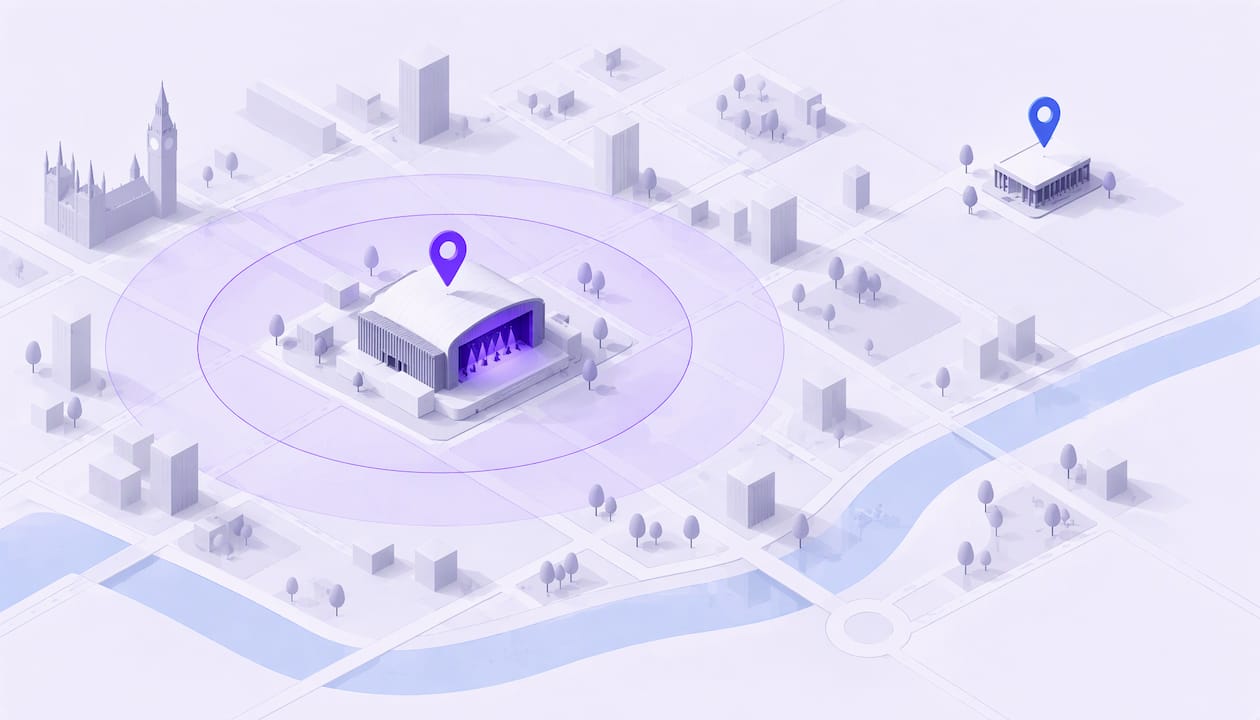
Geo-targeting concert ads means showing your ads only to people in the places where a show can realistically sell: the venue city plus the area people will travel from. Build one market per date, set a radius that matches how far your audience travels, name the city and date in the creative, and measure ticket sales against your ticketing export. This guide covers each step for UK promoters, and the consent rules that apply to location and tracking data.
TL;DR
- Treat every show date as its own market, with its own budget, radius, creative and ticket link.
- Start with a plausible catchment area, not the smallest circle you can draw. Narrow only when the data supports it.
- Name the city, venue and date in the ad, and send people to a mobile-ready page for that show.
- Judge results by tickets sold, checked against your ticketing export, not clicks or video views.
- In the UK, PECR sits alongside UK GDPR. Cookies, pixels and similar tools generally need prior consent.
Table of Contents
- What geo-targeting does for a concert
- Step 1: Define a market for each date
- Step 2: Choose the boundary: city, postcode, region or radius
- Step 3: Structure the campaign for a UK tour
- Step 4: Write local creative
- Step 5: Time and size the budget for each market
- Step 6: Track tickets, not clicks
- UK consent rules for location and tracking data
- Common mistakes in geo-targeted concert ads
- Selling the tickets your ads create
- A launch checklist for each date
- FAQ
- Next step
- Sources
What geo-targeting does for a concert
Geo-targeting delivers ads based on location signals such as IP address, device settings and mobile location. For a promoter, the point is simple: a ticket for a Leeds show has no value to someone in Plymouth who will never travel. Spending on that person is wasted budget.
Google’s own documentation says its location targeting can reach countries, areas within a country and a radius around a location. Google also states that 100% accuracy is not guaranteed, because targeting relies on a mix of signals including users’ settings, devices and behaviour. Plan for a small amount of spill-over at the edges of any area you draw.
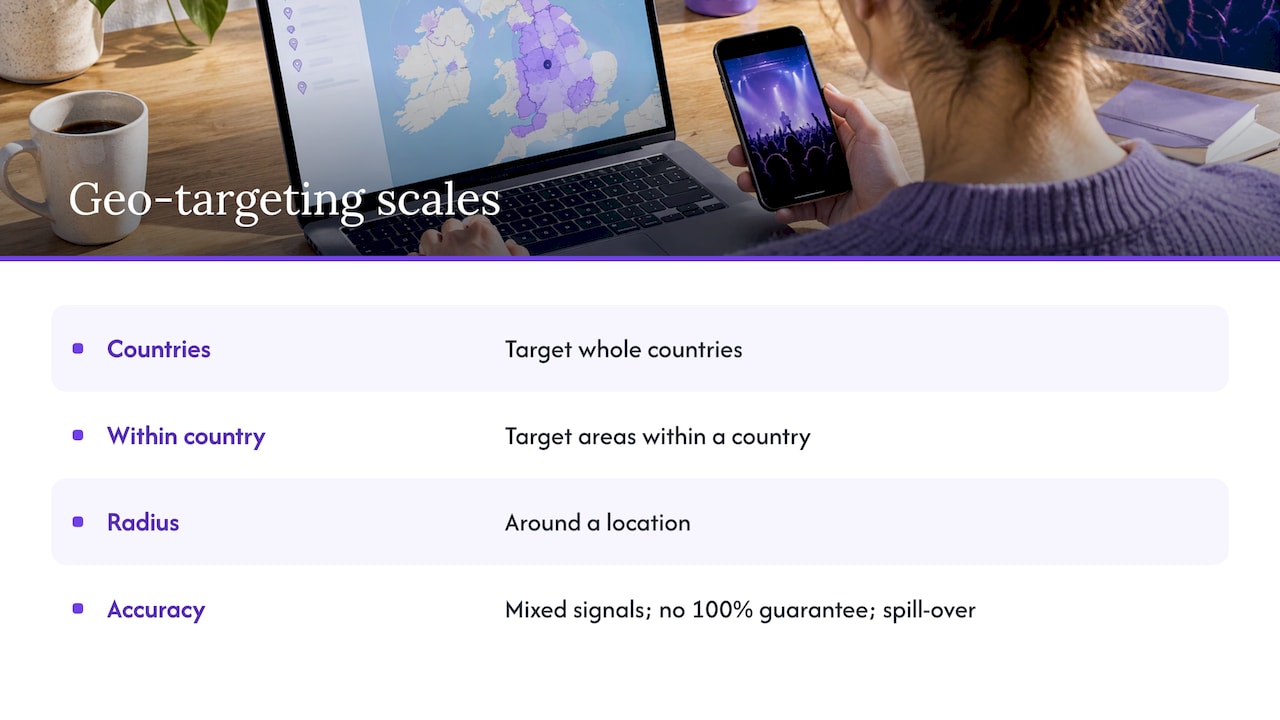
Geo-targeting is one half of the job. The other half is intent: who in that area is likely to buy. Location narrows the audience, and creative, timing and audience settings decide who in it responds.
Step 1: Define a market for each date
A tour is not one campaign. It is several local campaigns that share a brand. Each date has its own travel pattern, its own capacity and its own on-sale date.
For each show, write down:
- The city and venue name, exactly as it should appear in the ad.
- The date and the on-sale status (on sale, final tickets, sold out).
- The venue capacity and the ticket price tiers.
- The realistic catchment: where do people come from to see a show like this?
- The one ticket link for that date.
This list becomes the structure of your campaign. For a short run of dates, one campaign with one ad set per city is easy to manage. For a longer tour, separate campaigns per city give you tighter control of budgets and bidding, and let you switch off a city the moment it sells out.
Step 2: Choose the boundary: city, postcode, region or radius
Platforms give you several ways to draw the map. Pick the one that best matches the real market.
| Method | Best for | Watch out for |
|---|---|---|
| City | Dense urban venues with local audiences | Can miss commuter towns and nearby cities |
| Postcode | Targeting known pockets of existing fans | Small areas can limit delivery |
| Region | Festivals and destination shows | Too broad for a 300-capacity room |
| Radius around venue | Most single-date promotion | Radius may cross natural barriers such as coastlines or poor rail links |
Radius: think in travel time
Miles on a map matter less than journey time. A 20-mile radius around a venue in central Manchester is a short train ride for most people inside it. The same radius in rural Northumberland may be a long drive. Rural markets can justify wider coverage than dense cities, and new-fan prospecting usually deserves a tighter radius than a list of known fans who have already shown they will travel.
Here is a hypothetical example, for illustration only, not a result from any real campaign. A 400-capacity club show in a large city might start with a radius covering the city and its commuter belt. A two-day festival in a rural area, where people expect to travel and stay, might start with a much wider area or several regions. Your own past ticket buyers’ postcodes are the best evidence for where to begin.
Start wide enough to deliver
A very small circle can starve a campaign of impressions, push up the cost of each click and make results look worse than the show deserves. The same delivery problem shows up on other channels too, as this practical guide to TikTok ads for musicians illustrates. Begin with a plausible audience. Widen or restructure only when delivery or results show the first setup is too constrained.
If you are unsure which boundary to use, look at the postcodes of buyers from your last show in that city. Where most buyers came from nearby postcodes, a tighter radius is reasonable. Where a meaningful share travelled from other towns, widen it.
Use “people in this location”, not “interested in”
Platform location settings usually let you choose between people who live in or regularly visit an area and people who merely show interest in it. For ticket sales to a local show, choose the first. Review the locations report after a few days and exclude areas that spend but do not convert.
Step 3: Structure the campaign for a UK tour
A clean structure makes problems visible. A typical layout for a tour:
- One campaign per date for longer tours, or one campaign with an ad set per date for shorter runs.
- Within each market, a prospecting audience (people in the catchment who match the artist’s audience) and a retargeting audience (people who visited that city’s ticket page but did not buy).
- Creative that names the city and date.
- One ticket destination per market, so nobody has to interpret an ad for a date in another city.
Do not split a small budget across too many audience groups. If you have a modest amount to spend on a date, a single prospecting ad set and a single retargeting ad set will learn faster than six thin ones.
Where a show is close to another date, avoid overlap. If a fan in Warwickshire could reasonably go to Birmingham or Coventry, decide which date you are promoting to them, or exclude the overlapping area from one of the ad sets, so your own campaigns do not compete with each other.
For platform-specific setup, see our guides on Facebook and Instagram ads for concerts and Google Ads for event promoters. Paid social introduces or reminds people. Search catches people actively looking for the artist, show or venue. Use geography and intent together.
Step 4: Write local creative
Geo-targeting only works when the ad looks like it was made for the person seeing it.
- Name the artist, city, venue and date in the headline or first line.
- Keep essential text readable on a phone screen.
- State the offer plainly: ticket price tier, VIP availability, or last tickets.
- Match urgency to reality. Say “last tickets” only when stock is low, and give a deadline only when one exists.
- Link to a page for that exact show that loads fast on mobile and shows price and availability at once.
The landing page carries as much weight as the ad. Before you spend, confirm price, capacity, on-sale date, sales cut-off and a working mobile checkout. An unavailable ticket tier or a confusing checkout can undo clear creative. Our event landing page checklist covers what to check.
Step 5: Time and size the budget for each market
Budgets should follow the sales curve of each show, not be spread evenly across the weeks.
- Start early enough to learn. Many promoters begin paid promotion a few weeks before a local event. Longer lead times suit larger shows.
- Leave the first days alone. Rebuilding audiences, changing objectives or replacing every creative after one slow day disrupts the platform’s learning phase.
- Hold money back for the final stretch. Keep a meaningful share for the last 72 hours, when undecided buyers commit.
- Move budget to what sells. Shift spend toward the city, audience and ad that produce tickets at the lowest cost.
- Turn off sold-out dates. Advertising an unavailable offer wastes money and damages trust.
Before you commit to a spend per date, check that the show can afford it. A marketing budget only makes sense against ticket price, capacity, venue costs and the break-even point. Model that in the tour break-even calculator, then work out how many tickets each city must sell and what you can pay to acquire each one.
A worked example (hypothetical)
This example is invented to show the arithmetic. It is not a real campaign.
- Venue capacity: 800.
- Average ticket price: £25.
- Break-even: 520 tickets after all show costs.
- Marketing budget for the date: £2,000.
At that point, every ticket beyond break-even is margin. If you have 300 tickets still to sell to break even, a budget of £2,000 means you can spend up to roughly £6.67 per ticket across paid media and still stay inside that budget line. If tracked cost per ticket runs well above that, the date needs a different audience, different creative or a lower spend, and your calculator figures tell you which.
Step 6: Track tickets, not clicks
A geo-targeted campaign that cannot show tickets sold is guesswork. Engagement, video views and traffic are not purchases.
- Install and verify your tracking before launch. Our guide to Meta Pixel events lists three checks to run before promoting a concert.
- Make sure a completed sale fires a purchase event. Purchase-optimised campaigns depend on a valid completed-sale signal.
- Compare the platform’s reported purchases with your ticketing export for the same dates. They will rarely match exactly.
- Report cost per ticket, and separate sales you can attribute to ads from total sales, which also include word of mouth, email and direct visits.
- Review weekly: cost per purchase, outbound click-through rate and return on ad spend.
State the limits when you report. Browser privacy settings, declined cookies and cross-device journeys all mean some sales will be missing from platform data. A gap between ad-platform numbers and the ticketing export is normal, and your export is the record of what sold.
Our article on Facebook ads for concerts and tracking ticket sales goes further into reconciling the two.
UK consent rules for location and tracking data
Geo-targeted advertising touches several legal rules. This is general information for planning, not legal advice. Ask a data protection solicitor or your data protection lead about your own set-up.
PECR and UK GDPR work side by side. The Privacy and Electronic Communications Regulations apply to electronic marketing, cookies and the handling of traffic and location data, alongside UK GDPR. Having a lawful basis under UK GDPR does not replace PECR’s separate consent requirement.
Pixels count. The ICO’s updated 2026 guidance on storage and access technologies, as summarised by Brodies, covers cookies, pixels, link decoration, fingerprinting, web storage and scripts. The default rule is prior consent unless a specific PECR exception applies.
Analytics exceptions are narrow. The statistical-purpose exception applies only where the sole purpose is aggregated information about how a service is used, to improve that service. It does not cover online advertising, user monitoring or profiling.
What this means in practice:
- Put a consent banner on your event pages that blocks advertising pixels until a visitor agrees.
- Make declining as easy as accepting.
- Explain in your privacy notice what location and advertising data you use.
- Do not assume that proposed consent-free routes for low-risk advertising are available. Advice given to government is not a change in the rules.
If you also plan to message fans by text, read SMS marketing for concert promoters and the UK rules.
Common mistakes in geo-targeted concert ads
- Circles too small. The campaign cannot deliver, so you wrongly conclude the market is dead.
- One ad set for several dates. Dates with different travel patterns need separate budgets and creative.
- No working purchase tracking. You spend money and hope.
- Counting clicks as sales. Traffic is cheap, and tickets are the outcome.
- Too many audience groups. A small budget split thinly never leaves the learning phase.
- Changing everything after one slow day. Give each setup time to gather data.
- Sending people to a weak page. A clear ad and a confusing checkout lose the sale.
- Ignoring sold-out dates. Pause them straight away.
Poor pacing, loose targeting and inconsistent follow-through do more damage than any platform quirk. A written plan for each market, reviewed weekly, prevents most of them.
Selling the tickets your ads create
Ads only pay off if the checkout is simple and the money reaches you. Lookport Ticketing is built for concert promoters and venues: we charge a 6% commission with no other Lookport charges, and ticket proceeds go directly into your own Stripe account. Availability follows Stripe-supported countries. Set up a page for each show date, then point each city’s campaign at it.
See how it works on the Lookport Ticketing page, or check the commission on the pricing page. If you run VIP tiers, our VIP ticketing feature covers that set-up.
A launch checklist for each date
- Market defined: city, venue, date, catchment and ticket link.
- Break-even and cost-per-ticket ceiling calculated.
- Boundary chosen from past buyer postcodes, wide enough to deliver.
- Prospecting and retargeting audiences built, with overlap excluded.
- Creative names the city, venue and date, and reads clearly on a phone.
- Landing page tested on mobile, with price and availability visible.
- Consent banner live, purchase event verified.
- Weekly review booked, with budget reserved for the final 72 hours.
FAQ
What radius should I use for a concert ad?
There is no single right radius. Base it on journey time and on where your previous buyers came from. Start with a catchment that is wide enough to deliver impressions, then tighten or widen it as the data comes in. Rural venues and festivals generally justify a wider area than a city club night.
Should each tour date have its own campaign?
Yes, each date should be its own market with its own budget, creative and ticket link. For a short tour, one campaign with a separate ad set per city is simple to run. For a longer tour, separate campaigns give you more control and make it easy to switch off a sold-out city.
How do I know if geo-targeted ads actually sold tickets?
Check purchase tracking and compare the platform’s reported purchases with your ticketing export. Report cost per ticket and separate attributable sales from total sales. Expect gaps, because declined cookies and cross-device journeys hide some purchases from platform data.
Do I need consent to use a Meta Pixel or similar tool in the UK?
Generally yes. The ICO’s guidance treats pixels and similar technologies as covered by PECR, with prior consent as the default unless a specific exception applies. The statistical exception does not cover advertising. Ask your data protection adviser to review your banner and notices.
Next step
Before you set a radius or a budget, work out how many tickets each date needs to sell. Open the tour break-even calculator, enter your costs and prices, and use the result to set a cost-per-ticket ceiling for every city.
Sources
- Target ads to geographic locations, Google Ads Help
- Storage and access technologies: ICO publishes updated guidance, Brodies
- UK Data Protection Lawyer, UK GDPR and DUAA, Bratby Law
Recommended
Ticketing & event budgeting
 2026-11-14
Concert Sales Curve: How UK Tickets Sell and How to Plan for It
Learn what a concert sales curve shows, how UK tickets typically sell from on-sale to show day, and how to check your pace against break-even.
 2026-11-13
Own Your Ticketing Data: A UK Promoter's Guide
What owning your ticketing data means under UK GDPR, which buyer data to keep, and how to set up referral tracking and marketing consent so it works for you.
 2026-11-12
Anti-Bot Ticketing: How UK Promoters Protect an On-Sale
How anti-bot ticketing works, what the UK ban on ticket bots means for promoters, and how to layer defences without blocking genuine fans at your on-sale.
 2026-11-11
GDPR for Event Marketing: A UK Promoter's Guide
How UK GDPR and PECR apply to event marketing: lawful basis, email and SMS consent, ticket-buyer privacy notices, retention and choosing CRM software.
 2026-11-09
Drip Pricing Rules in the UK: What Ticket Sellers Must Show
UK drip pricing rules for ticket sellers: which fees go in the headline price, how VAT on booking fees works, fines, and a checklist for promoters.
 2026-11-08
UTM Tracking for Events: A Practical Guide for UK Promoters
Learn how to tag event links with UTM parameters, name campaigns cleanly and read GA4 reports so you can see which marketing actually sells tickets.