LOOKPORT / TICKETING & EVENT BUDGETING
Sell Tickets in 8–12 Weeks with Google Ads for Event Promoters
Practical playbook for event promoters: set up measurable Google Ads campaigns, track conversions, and use CPA bids to sell more tickets within an 8–12...

Google Ads can sell tickets, but only when you set a clear, measurable conversion goal and confirm tracking before you spend a penny. Get that right, and Search and Performance Max campaigns will reliably fill a room. Get it wrong, and you’re paying for clicks with no way to tell which ones bought a ticket. The priority action is always the same: build and test conversion tracking, or micro-conversions if your ticketing checkout sits on a third-party domain, then lean on Search and Performance Max for sales, with YouTube for awareness and Display for retargeting.
TL;DR:
- Building and testing conversion tracking is essential to accurately measure ticket sales and avoid paying for untracked clicks.
- Performance Max campaigns outperform others when supplied with strong creative assets and clear conversion signals from your ticketing flow.
- Audience layering, including past attendees, lookalikes, geofencing, and remarketing, significantly improves targeting for local and national events.
- Start with small budgets and use measurable goals like target CPA or Maximize Conversions to optimize spend based on real data.
- Proper integration of Google Tag Manager with your ticketing platform is crucial for tracking sales and feeding accurate conversion data into Google Ads.
Table of Contents
- Which Google Ads campaign types work best for events?
- How do you target the right audience for an event campaign?
- How much should you budget and bid for ticket sales?
- What creative and landing page details actually convert tickets?
- How do you set up measurement and conversion tracking properly?
- What’s the right campaign timeline before an event?
- How do you connect Google Ads to your ticketing platform?
- What ad extensions and formats suit event promotion?
- What compliance rules apply to advertising events on Google Ads?
- Turning your campaign into ticket sales with Lookport
- Sources
- FAQ
Which Google Ads campaign types work best for events?
Each campaign type plays a different role in the ticket-buying journey, and treating them as interchangeable is the fastest way to waste a budget.
Search catches people who already know they want to go somewhere. Build keyword lists around the event name, artist or speaker names, venue, and purchase-intent terms like “tickets” or “book now.” Write ad copy with one clear call to action, register, book, or buy, and avoid vague headlines that could apply to any event.
Performance Max tends to outperform once it has enough signal to work with. It needs strong asset groups (images, video, headlines) plus audience signals pulled from your CRM or past attendee lists, and a conversion value or CPA target so Google knows what a good outcome looks like. This campaign type works best when supplied with strong creative assets and clear conversion signals from your ticketing flow, according to Google ads for events: 3 Success Secrets.
YouTube is your awareness layer. Short video creative built on social proof, past crowd footage, artist clips, testimonials, works better than a hard sell here. Add call-to-action overlays and cap frequency so the same viewer isn’t seeing your ad twelve times a day.
Display and retargeting exist to catch the people who almost bought. Build creative aimed specifically at cart abandoners and partial checkouts, and exclude anyone who has already converted so you’re not paying to re-advertise to buyers.
- Search: purchase-intent keywords, direct CTA
- Performance Max: strong assets, audience signals, CPA/ROAS target
- YouTube: short social-proof video, frequency capped
- Display: retargeting creative for abandoners, converters excluded
How do you target the right audience for an event campaign?
Audience layering matters more for events than for most other advertising categories, because your best prospects are often people you already have some data on.
- Build core segments first: past attendees, mailing list subscribers, and lookalike audiences modelled on them.
- Layer in interest-based and custom-intent audiences for people who haven’t bought from you before but show relevant behaviour.
- Set location targeting to “people in or regularly in” your target area for local shows, and use radius targeting around the venue for anything with a physical catchment.
- Broaden geographic settings for national tours or livestreamed events, where a tight radius makes no sense.
- Layer geofencing around competing venues or nearby transport hubs during the final promotion weeks, and coordinate it with any offline flyering or local partnerships so the timing lines up.
- Build remarketing lists from three groups specifically: site visitors, people who viewed the registration or ticket page, and anyone who added a ticket to their basket without finishing checkout.
Geofencing has practical limits. Radius targeting on Google Ads works at the postcode or town level, not street-by-street precision, so treat it as a directional tool rather than a scalpel.
How much should you budget and bid for ticket sales?
Start with the maths, not a guess. Take your average ticket price, subtract your acceptable margin, and what’s left is your target cost per acquisition. That’s the ceiling you’re optimising towards, not a number you’ll hit from day one.
Run small daily budgets per campaign during the first one to two weeks purely to gather data. Watch conversion rate and actual cost per sale before scaling anything up. Once you have baseline numbers, switch to a Target CPA or Maximise Conversions with a target bidding strategy. Defining a measurable objective up front is what should dictate this choice, according to the Swapcard event marketing framework — bidding strategy follows the goal, not the other way round.
Split budget by funnel stage: heavier weighting on awareness early, shifting towards Search and Performance Max as the event date closes in. Check pacing daily in the final fortnight, since underspending in week one and overspending in week four is a common and avoidable mistake.
Pro Tip: Run your target CPA through Lookport’s tour break-even calculator before you set bids. It’s far easier to spot an unrealistic ticket price or marketing allowance on a spreadsheet than after you’ve already spent the budget.
What creative and landing page details actually convert tickets?
Your ad might get the click, but the landing page decides whether that click becomes a sale.
- Lead with the offer in the headline: the event name, the main draw (headliner, keynote speaker, unique selling point), and a genuine urgency cue if one exists.
- Use social proof and scarcity honestly, “limited VIP tickets remaining” or a sold-out badge on a previous date, and always display price clearly rather than hiding it behind a click.
- Optimise for mobile first: fast load times, a one-click or minimal-step purchase path, and a CTA button visible without scrolling.
- If you’re feeding inventory through Google’s events tool, the data fields you supply (date, venue, price, ticket URL) determine what shows up in search results, so keep them accurate and current.
Google Events Ticketing lets organisers promote inventory through free listings and a structured events feed, which can surface directly in Google Search results once Google has checked the integration in a live production environment, per the Google Events Ticketing starter guide. It’s a free discovery channel worth setting up alongside paid campaigns, not a replacement for them.
How do you set up measurement and conversion tracking properly?
Tracking is where most event campaigns quietly fail, usually because it’s treated as an afterthought rather than the first thing built.
- Set up goals in GA4 first, then import them into Google Ads as conversions so bidding algorithms have something real to optimise against.
- If ticketing runs through a third-party platform where you can’t tag the final confirmation page, track micro-conversions instead, a click to checkout, for example, using Google Tag Manager.
- Build remarketing audiences directly from these conversion events, and feed the same signals into Performance Max as audience inputs.
- Check your conversion window settings against your actual sales cycle; a seven-day window is too short for an event people plan to attend two months out.
Conversion tracking and micro-conversions become genuinely crucial once a third-party ticketing system blocks you from placing a tag on the final purchase page, since that missing signal is exactly what stops Google from optimising properly, according to Google ads for events: 3 Success Secrets. Attribution mismatches, where Google Ads and GA4 report different numbers, are common and usually come down to differing conversion windows or cross-device gaps rather than a broken campaign.
What’s the right campaign timeline before an event?
Paid media performs best when it’s coordinated with sponsor pushes and early-bird pricing, and an 8 to 12 week runway is the benchmark recommended for major events with a properly phased rollout, according to Attendir’s event marketing framework.
- Awareness (8+ weeks out): YouTube and Display lead here; launch conversion tracking and confirm it fires correctly before spending anything meaningful on Search.
- Consideration (4 to 8 weeks out): Introduce Search and early Performance Max activity; test creative variants and confirm landing page speed on mobile.
- Ramp (2 to 4 weeks out): Increase budgets on the campaigns already converting; tighten remarketing lists.
- Final push (last 2 weeks): Shift spend heavily towards Search and retargeting; check pacing daily and pause anything underperforming immediately.
| Phase | Timing | Primary campaign types |
|---|---|---|
| Awareness | 8+ weeks out | YouTube, Display |
| Consideration | 4 to 8 weeks out | Search, Performance Max |
| Ramp | 2 to 4 weeks out | Performance Max, Search (scaled) |
| Final push | Last 2 weeks | Search, Display retargeting |
How do you connect Google Ads to your ticketing platform?
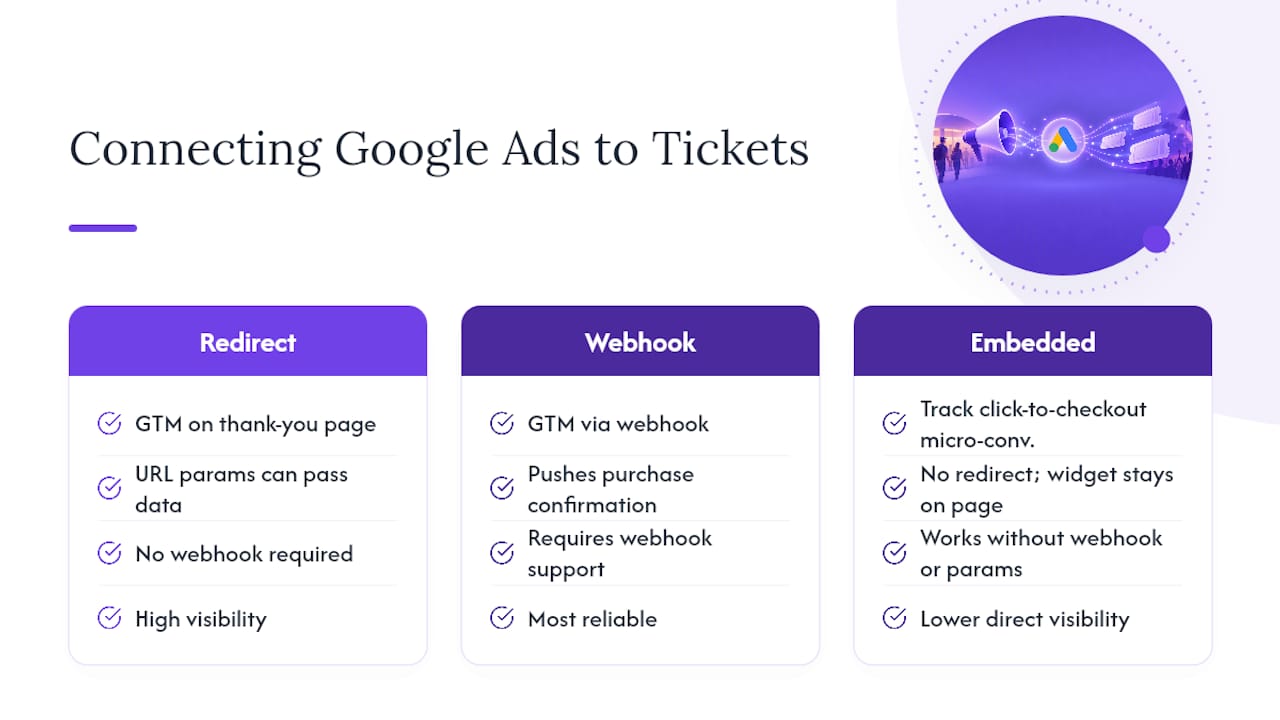
The gap between your ad platform and your ticketing system is usually where conversion data goes missing. If your ticketing software sits on its own checkout domain, separate from the site your ads point to, Google Ads has no visibility into what happens after the click unless you build that bridge deliberately.
Google Tag Manager is the practical fix in most cases: place a container tag on your event or landing page, then fire a conversion event whenever the ticketing platform confirms a purchase, either through a thank-you page redirect or a webhook if your platform supports one. Some ticketing systems pass purchase data back via URL parameters on a confirmation page, which makes tagging straightforward. Others complete the transaction inside an embedded widget with no redirect at all, in which case tracking the click-to-checkout step as a micro-conversion is the more reliable option.
Whichever route you take, feed the resulting conversion data back into Google Ads consistently, not just once during setup. Sales notifications and customer data exports from your ticketing platform can also populate remarketing lists and CRM audiences that feed Performance Max, provided the platform actually supports pushing that data out to marketing tools rather than locking it inside its own dashboard. Check this before committing to a ticketing provider if paid advertising is central to your sales plan.
What ad extensions and formats suit event promotion?
Standard text ads undersell events because they can’t show the two things a buyer actually needs at a glance: when it’s happening and how urgent buying is.
Sitelink extensions let you point directly to a tickets page, a lineup or agenda page, and a venue/directions page from a single ad, cutting the number of clicks between interest and purchase. Callout extensions are useful for short scarcity or value cues, “early bird ends Friday” or “under 16s go free”, without cluttering the main headline. Structured snippets work well for listing artist names, session tracks at a conference, or ticket tiers.
Google’s events feed integration, the same JSON-based system used for Google Events Ticketing, also allows individual event details, date, time, price, to surface directly within Search results once the feed has passed Google’s production check. This isn’t a paid ad format in the traditional sense, but it sits alongside your paid campaigns and adds another visible touchpoint for the same event.
There’s no dedicated native “countdown timer” ad extension inside standard Google Ads the way some social platforms offer, so most organisers build urgency through ad copy and landing page design instead: a visible countdown widget on the page itself, combined with callout extensions referencing the closing date for early-bird pricing.
What compliance rules apply to advertising events on Google Ads?
Event advertisers sit inside Google’s general advertising policies, but a handful of areas catch organisers out more often than others.
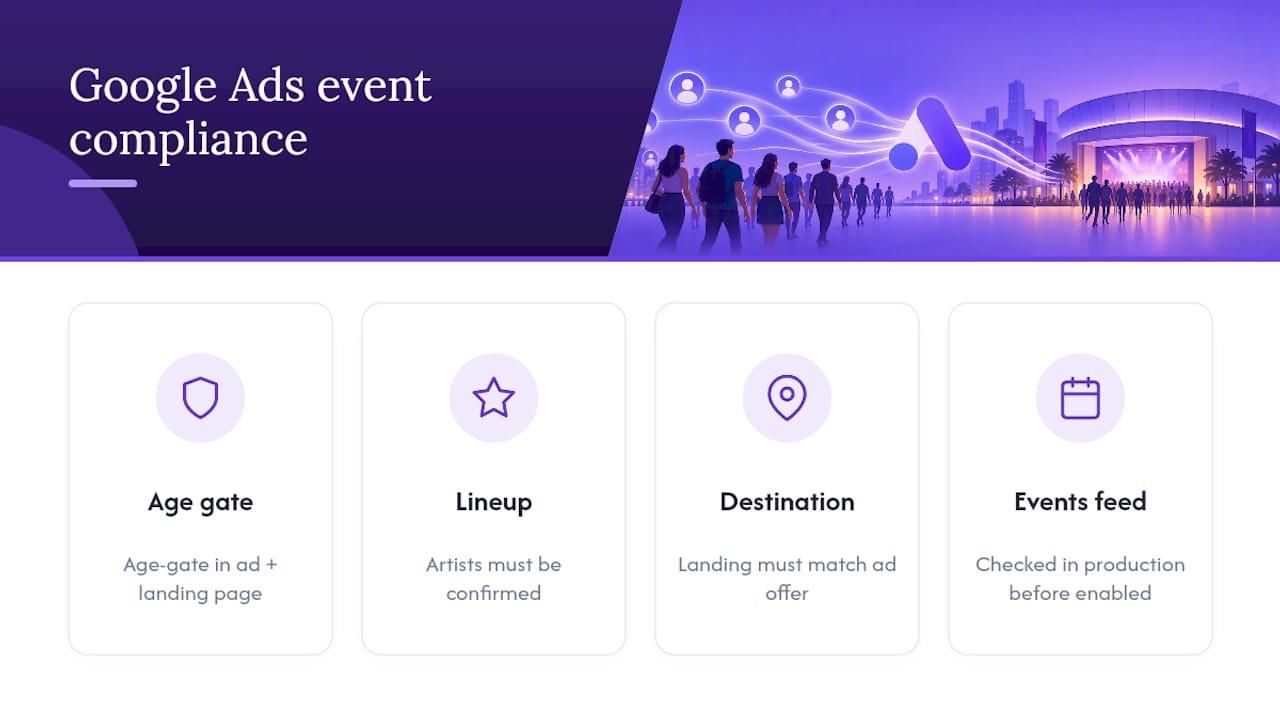
Age-restricted content is the most common trip-up: festivals, club nights and adult-only events need accurate age-gating messaging in the ad copy and on the landing page, and Google can and does review this. Ticket resale and misrepresentation policies matter too. If your ad promises a specific artist, speaker or lineup slot, that has to be genuinely confirmed, not provisional, since misleading claims about event content are treated as a policy violation, not just a customer service problem.
Destination requirements apply directly to ticketing: the landing page has to functionally match what the ad promises, so an ad for a specific show can’t land on a generic events listing page. If you’re using the events feed integration, Google explicitly checks your integration in a production environment before enabling inventory, so budget time for that review rather than assuming it goes live instantly.
Data collection through remarketing and conversion tracking also falls under Google’s standard consent requirements. If you’re building remarketing lists from site visitors or ticket-page viewers, your cookie consent banner and privacy policy need to reflect that collection accurately. This isn’t unique to events, but it’s worth checking before your first remarketing campaign launches, not after.
Turning your campaign into ticket sales with Lookport
Everything above only pays off if the ticketing side of your event can keep up with the demand you’re generating. There are ticketing solutions built specifically for concert promoters, organisers and venues designed to avoid adding friction to paid campaigns or eating into budgets.
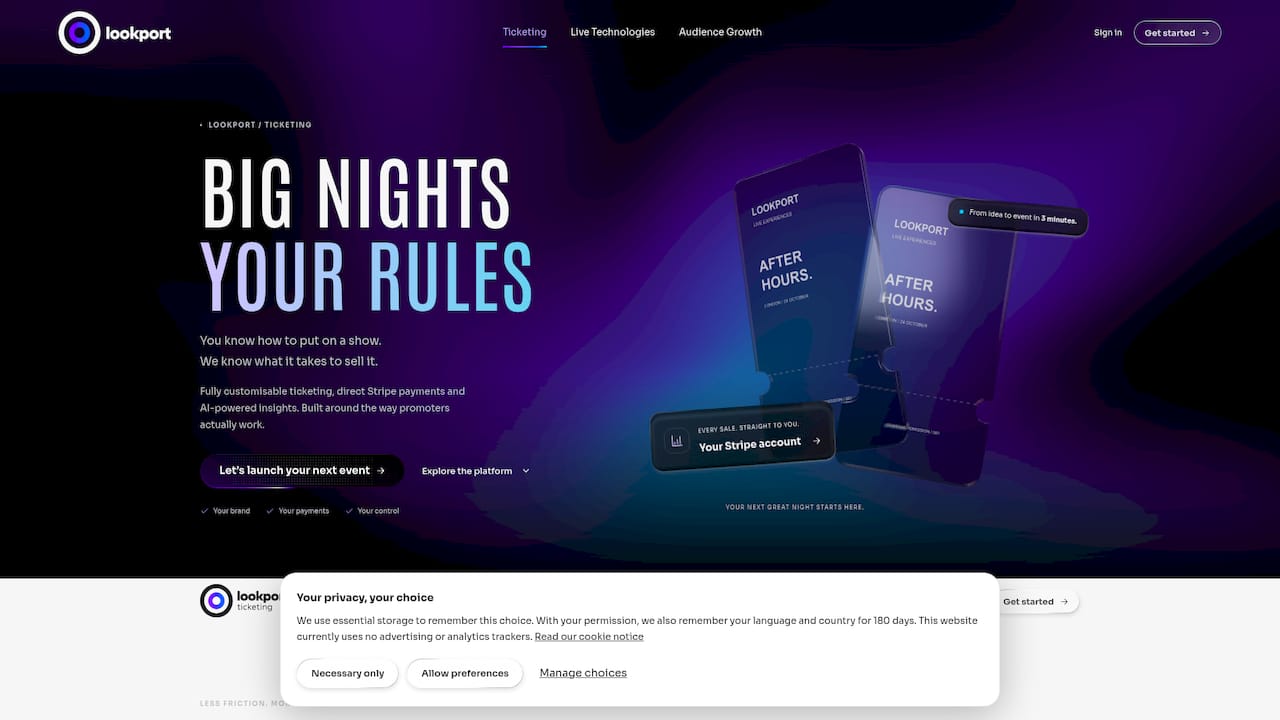
Ticket proceeds can go directly into the organiser’s own Stripe account rather than sitting with a third party. Some ticketing platforms charge a straightforward commission with no additional charges. That matters for the CPA maths covered earlier: knowing your exact take-home per ticket before you set a bidding target means you’re not guessing at margin halfway through a campaign. Before you finalise budgets, run your numbers through the concert profit and tour break-even calculator, which models ticket pricing, costs and break-even point so your target CPA is grounded in real figures rather than an estimate.
Lookport’s marketing integrations also help close the tracking gap discussed above, feeding sales data and notifications through to the tools you’re already using for remarketing and conversion analysis. If you’re setting up Ticketing for an upcoming show, that’s the practical next step: get the ticketing and tracking foundation right before scaling ad spend on top of it.
Sources
Guidance above draws on the Google Events Ticketing starter guide and official Google Ads documentation, alongside event marketing frameworks from Swapcard and Attendir for timeline and benchmark data.
- Google events ticketing: starter guide - Google Ads Help
- Event Marketing Strategy: The 2026 Complete Guide | Swapcard
- Google ads for events: 3 Success Secrets
FAQ
Is £10 a day enough for Google Ads for events?
A small daily budget can work for narrow, highly local Search campaigns with tight keyword lists, but it’s rarely enough to gather meaningful conversion data quickly. For most single-event campaigns, a slightly higher test budget in the first two weeks gets you to reliable bidding decisions faster.
Can I advertise ticket sales directly through Google Ads?
Yes, ticket sales are a standard advertising category, provided your event complies with Google’s policies on age restrictions, accurate event details and matching landing pages. You can also list inventory for free through Google Events Ticketing alongside your paid campaigns.
How much does Google Ads charge per 1,000 impressions?
Cost varies significantly by keyword competitiveness, industry and campaign type, so there’s no fixed rate that applies universally to event advertising. Your actual cost depends far more on your targeting and bidding strategy than on any flat impression price.
Is £500 a month enough for Google Ads for an event?
It can work for a small, local, single-venue event with tightly targeted Search and retargeting campaigns, especially if conversion tracking is solid from day one. Larger events, national tours or anything with a broad geographic audience typically need more budget to gather the data required for Performance Max to optimise effectively.
How do I calculate a realistic target CPA for ticket sales?
Take your average ticket price, subtract the margin you need to keep, and the remainder is your ceiling cost per acquisition. Running that figure through a tool like Lookport’s break-even calculator helps confirm the number holds up against your actual event costs before you set live bids.
Recommended
Ticketing & event budgeting
 2026-10-22
Ticketing Analytics for UK Promoters: What to Track and Why
Ticketing analytics for UK concert promoters: the metrics that drive decisions, how to set up tracking, and how to tie sales data back to your show budget.
 2026-10-21
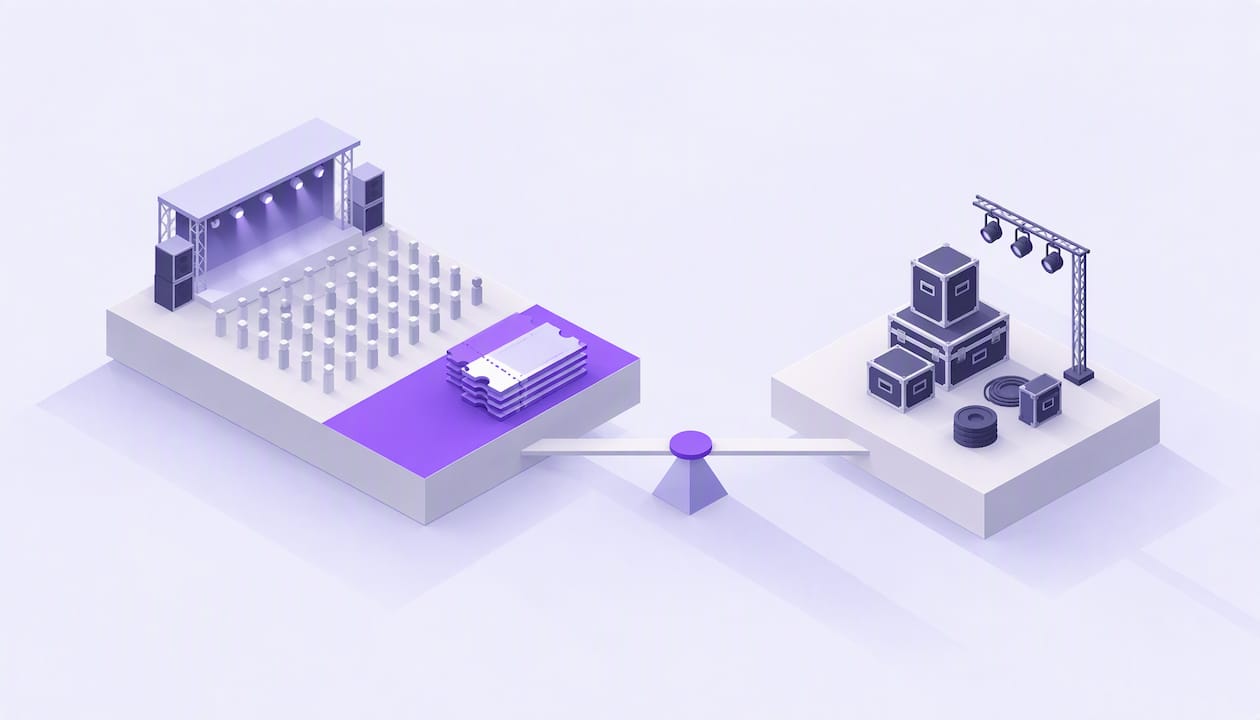
Concert Break-Even Calculator: How Many Tickets You Must Sell
Work out how many tickets a UK concert needs to break even. Costs, PRS, ticket commission, a worked example and a free calculator for promoters and venues.
 2026-10-19
Ticket Sales Break-Even Analysis for UK Shows
Work out how many tickets you must sell to cover a UK show: VAT, PRS, fees, fixed costs and a worked example, plus a free break-even calculator.
 2026-10-18
Refund Policy for Concerts: What UK Promoters Must Offer
What UK law and industry rules require when a concert is cancelled, moved or the buyer changes their mind, plus how to write a clear refund policy.
 2026-10-15
Facebook Ads for UK Promoters: Track Ticket Sales Before Spend
UK promoters can set up Meta pixel and Conversions API tracking, choose audiences, estimate ticket costs, and link Facebook ad spend to ticket revenue.
 2026-10-14
Profit Margins: Test 10 P&L Lines for UK Concert Promoters
See how UK concert promoters can model profit per show with 10 P&L inputs, test sell through and costs, and check break even before committing a deposit.