LOOKPORT / TICKETING & EVENT BUDGETING
Five SMS Marketing Uses, Templates and UK Rules for Concert Promoters
Use five SMS marketing plays to sell concert tickets and send urgent updates. Get copy ready templates, integration advice and UK consent checks.
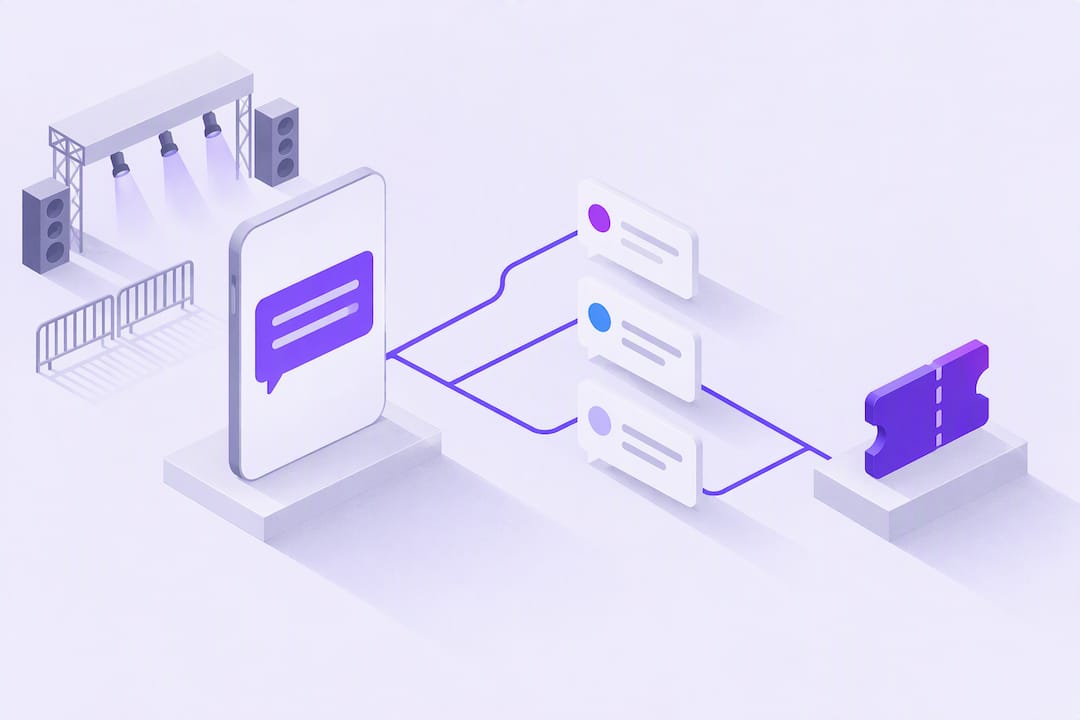
Use SMS for the fastest, highest-impact concert updates and ticket triggers. Text messages achieve substantially higher read rates than email and are typically read within minutes, which makes SMS the right channel for presales, reminders and urgent changes. It works alongside email and social, never in isolation, and only when consent follows UK marketing rules.
TL;DR:
- Automate texts from ticketing or CRM events, including purchases, abandoned checkouts, event reminders, and VIP signups, and use tracked links to attribute clicks.
- UK marketing texts require specific, informed consent or a qualifying soft opt in for existing customers, plus sender identification, opt out instructions, and consent records.
- Send on weekdays from midmorning through early evening, limit routine contact to a presale and one reminder, and reserve extra offers for consenting VIPs.
- Measure clicks, code redemptions, attributable ticket sales, and opt out rates; test one variable at a time and pause versions that raise opt outs.
Table of Contents
- Why SMS works for concert promotion
- Practical SMS use cases for concert promoters
- Connecting SMS to your ticketing, CRM and email tools
- Timing, frequency and message structure
- Copy-ready SMS templates for presales, reminders and emergencies
- Measuring SMS performance and refining your approach
- UK compliance checklist for SMS marketing
- How Lookport Ticketing supports SMS-driven ticketing workflows
- FAQ
- Sources
Why SMS works for concert promotion
SMS earns its place in a promoter’s toolkit because people read texts almost immediately after they land, unlike emails that sit in an inbox for hours. That speed matters most when a presale window closes in ninety minutes or a venue change needs to reach every ticket holder before doors open.
SMS performs best as a short, direct trigger rather than a storytelling channel. According to Mailchimp’s comparison of SMS and email, the two channels complement each other: SMS carries high-impact, time-sensitive updates, while email handles longer content and nurture sequences.
- SMS delivers urgent calls to action that fans act on within minutes.
- Email and social carry the detail, from lineup changes to full event recaps.
- Combining channels lets a short text drive traffic to a richer landing page.
Practical SMS use cases for concert promoters
A handful of send types cover most of what promoters need from SMS across a tour or single show.
- Presale access: send verified fans a unique link or code for early entry before public sale.
- Payment and event-day reminders: confirm outstanding balances, start times and door-opening windows.
- Flash sales: push last-minute discounts to fill remaining capacity close to the show date.
- Urgent updates: notify every ticket holder immediately about venue changes, delays or cancellations.
- VIP and loyalty offers: give repeat attendees first access to upgrades, meet-and-greets or bundle deals.
Each of these works because SMS reaches fans wherever they are, without needing an app open or an inbox checked. Presale sends benefit particularly from pairing with pricing set in the first 48 hours of release, since the fastest-moving tickets often go to the SMS list before the general public even sees the listing.
Connecting SMS to your ticketing, CRM and email tools
SMS performs best when it fires automatically from events in your ticketing or CRM system rather than from manual lists built by hand.
- Trigger texts on purchase confirmation, abandoned checkout, a fixed time before the event, or a new VIP opt-in.
- Route sends through your ticketing platform or CRM so segments stay current without manual exports.
- Attach short links with UTM parameters and personalised tokens so each click traces back to the specific send.
- Review marketing integrations that connect ticketing data directly to your messaging tools, which keeps segment lists accurate as sales progress.
Linking SMS to ticketing data also means every message can reference a real purchase status or seat type, which keeps content relevant and reduces the chance a fan unsubscribes from an irrelevant send.
Timing, frequency and message structure
Send timing affects both response and complaint rates, so treat it as a fixed part of your campaign plan rather than an afterthought.
- Favour mid-morning to early-evening sends on weekdays and a more conservative window at weekends, since the UK has no statutory quiet hours but recipients still expect reasonable timing.
- Keep frequency to the sends a fan actually needs: presale, one reminder, and an urgent update if required, not a running commentary.
- Structure each message as opener, the value or offer, a clear call to action, sender identification and an opt-out instruction.
- Reserve higher-frequency contact for an opted-in VIP segment that has explicitly asked for more frequent offers.
Copy-ready SMS templates for presales, reminders and emergencies
These templates are starting points. Adjust tone to your artist or venue brand, but keep the compliance elements intact.
- Presale: “[Artist] presale is live. Use code FAN20 or tap [link] before 6pm Thursday. Reply STOP to opt out.”
- Reminder: “Reminder: [Event] doors open 7pm, [Venue], [date]. Bring ID and your e-ticket. Reply STOP to opt out.”
- Flash sale: “Last 50 tickets for [Event] at 20% off. Grab yours: [link]. Ends midnight. Reply STOP to opt out.”
- Urgent notice: “Important: [Event] has moved to [new venue/time]. Full details: [link]. Reply STOP to opt out.”
Pro Tip: Use a personalisation token for the fan’s first name and a shortened, trackable link for every send, so you can measure which template drives the most clicks.
Keep sender identification consistent across templates so recipients recognise your name instantly rather than treating the text as spam.
Measuring SMS performance and refining your approach
Clicks and attributable sales matter more than open rates for SMS, since nearly every text gets opened within minutes regardless of content quality. According to Mailchimp’s guidance on SMS metrics, a missing click rate signals the message failed to land, and a rising opt-out rate is the clearest sign a send felt unwelcome.
- Track click-through rate, redemption rate on codes, attributable ticket sales and opt-out rate for every campaign.
- Run simple A/B tests on send time, CTA wording or link placement, one variable at a time.
- Pause any variant that raises opt-outs, even if it also raises clicks.
- Tie each send to a specific promo code or ticketing SKU so sales reports show the SMS contribution directly.
One of the clearest signals in SMS performance is the opt-out spike, which Mailchimp’s SMS metrics guide treats as the primary warning sign that a campaign has gone too far on frequency or relevance.
Reviewing sales pacing forecasts alongside SMS click data helps you decide whether a reminder sent too early or too late affected the final conversion rate.
UK compliance checklist for SMS marketing
Marketing texts in the UK fall under the Privacy and Electronic Communications Regulations and UK GDPR, and the rules are specific about consent. According to the ICO’s guidance on electronic and telephone marketing, marketing texts require specific, informed and unambiguous opt-in consent, pre-ticked boxes are invalid, and the soft opt-in exception only covers existing customers who were offered an opt-out at the point their details were collected and in every subsequent message.
- Confirm you hold valid consent, either explicit opt-in or a qualifying soft opt-in, before any marketing send.
- Include a clear sender identity so recipients know who is texting them.
- Add an opt-out instruction, typically “Reply STOP”, to every marketing message.
- Keep records of consent, including when and how it was collected.
- Maintain a permanent suppression list so anyone who opts out is never re-added by accident.
- Respond to opt-outs and complaints promptly, and audit your list periodically against your suppression record.
A UK compliance guide for SMS marketing sets out the same core checklist: consent, opt-out, sender identification, reasonable timing and proper record-keeping.
| Requirement | What it means for your campaign |
|---|---|
| Consent | Specific, informed opt-in, or a qualifying soft opt-in for existing customers |
| Opt-out | “Reply STOP” or equivalent in every marketing message |
| Sender identity | Recipients can see who is texting them |
| Record-keeping | Documented proof of consent and timing |
| Suppression list | Permanent record preventing accidental re-adding |
How Lookport Ticketing supports SMS-driven ticketing workflows
Running SMS alongside your ticketing system works best when both sit in one place, so a presale code, a reminder and a last-minute flash sale all trace back to the same sales report.
Ticketing gives promoters a single hub for event-triggered notifications and the sales data needed to see exactly how an SMS send performed. Lookport charges a 6% commission with no other Lookport fees, and ticket proceeds go directly into your own Stripe account, giving you full visibility over payouts without a separate settlement step. Once a campaign is live, the tour break-even calculator helps you model how presale and flash-sale revenue from SMS affects your overall budget and break-even point. Start with Ticketing to set up your event, then run the numbers through the calculator before your next send.
FAQ
Can you give an example of SMS marketing for concerts?
A presale text such as “Tickets for [Artist] are live, use code FAN20 at [link] before 6pm Thursday” is a typical example. It combines a time limit, a unique code and a direct link, which gives fans a clear reason to act immediately.
What is the best way to promote a concert?
The strongest approach combines SMS for urgent, time-sensitive calls to action with email for detail and social media for reach and discovery. According to Mailchimp’s comparison of SMS and email, these channels work best together rather than as substitutes for one another.
How much does SMS marketing cost?
Per-message costs vary by provider and sending volume, and no single UK-wide rate applies to every campaign, so budgeting should rely on a quote from your chosen SMS provider. For the ticketing side of your budget, we charge a 6% commission with no other Lookport charges, which you can model alongside your SMS spend using the tour break-even calculator.
What is the best SMS marketing tool?
The right tool depends on whether you need standalone SMS sending or a system that connects texts directly to ticket sales data. Using ticketing marketing integrations alongside your SMS provider lets you trigger sends from purchase events and track redemption against real sales.
When is explicit opt-in required versus a soft opt-in?
Explicit opt-in is required for anyone who has not previously bought from you, while the soft opt-in exception allows marketing texts to existing customers about similar products, provided they were offered an opt-out at the point of collection and in every message since. The ICO’s PECR guidance sets out the exact conditions for both routes.
Sources
- Electronic and telephone marketing | ICO
- SMS Marketing Rules UK: PECR, GDPR & Compliance Guide (2026)
- SMS vs email marketing | Mailchimp
Recommended
Ticketing & event budgeting
 2026-10-22
Ticketing Analytics for UK Promoters: What to Track and Why
Ticketing analytics for UK concert promoters: the metrics that drive decisions, how to set up tracking, and how to tie sales data back to your show budget.
 2026-10-21
Concert Break-Even Calculator: How Many Tickets You Must Sell
Work out how many tickets a UK concert needs to break even. Costs, PRS, ticket commission, a worked example and a free calculator for promoters and venues.
 2026-10-19
Ticket Sales Break-Even Analysis for UK Shows
Work out how many tickets you must sell to cover a UK show: VAT, PRS, fees, fixed costs and a worked example, plus a free break-even calculator.
 2026-10-18
Refund Policy for Concerts: What UK Promoters Must Offer
What UK law and industry rules require when a concert is cancelled, moved or the buyer changes their mind, plus how to write a clear refund policy.
 2026-10-15
Facebook Ads for UK Promoters: Track Ticket Sales Before Spend
UK promoters can set up Meta pixel and Conversions API tracking, choose audiences, estimate ticket costs, and link Facebook ad spend to ticket revenue.
 2026-10-14
Profit Margins: Test 10 P&L Lines for UK Concert Promoters
See how UK concert promoters can model profit per show with 10 P&L inputs, test sell through and costs, and check break even before committing a deposit.