LOOKPORT / TICKETING & EVENT BUDGETING
Own Your Ticketing Data: A UK Promoter's Guide
What owning your ticketing data means under UK GDPR, which buyer data to keep, and how to set up referral tracking and marketing consent so it works for you.

You own your ticketing data in practice when you decide why buyer data is collected and how it is used, can use it for your next on-sale, and are paid directly for your ticket sales. In UK GDPR terms, that makes you the controller and the ticketing platform your processor. Lookport Ticketing is built on that footing: ticket proceeds go straight into your own Stripe account, and the commission is 6% with no other Lookport charges.
This guide explains what “owning” ticketing data means, which records are worth holding, how to set up referral and affiliate tracking so sales are credited to the right partner, and what the law lets you do with the data afterwards.
TL;DR
- Owning ticketing data means being the controller: you decide the purposes and means of processing, and the platform processes data on your instructions.
- Keep order, channel, buyer and consent records tied to one buyer key, so repeat buyers, guest lists and partner sales do not become duplicate profiles.
- Give every promoter, affiliate or campaign its own tracked link, and agree how a sale is credited before the on-sale starts.
- Email marketing to individuals needs consent or the PECR soft opt-in, with an opt-out at collection and in every message.
- Lookport pays ticket proceeds directly into your own Stripe account, at 6% commission with no other Lookport charges.
Table of Contents
- What owning ticketing data actually means
- Why it matters to a promoter’s budget
- The records worth holding
- Affiliate and referral tracking for events
- Using the data for marketing under UK law
- Turning ticketing data into audience segments
- A set-up routine before the on-sale
- Where Lookport Ticketing fits
- FAQ
- Sources
What owning ticketing data actually means
In law, “ownership” of personal data is not the usual test. The question is who is the controller. The ICO says the key question is who determines the purposes and means of processing. The same guidance says you should assess and document the status of each organisation you work with.
The event industry body UFI makes the same split in its paper on data ownership. It describes the data controller as the organisation that decides why and how personal data is processed, usually the event organiser. The processor handles the data on the controller’s behalf and under its instructions, usually a third-party service provider such as a registration or ticketing supplier.
For a promoter, that has practical consequences:
- You decide what is collected. Name, email, postcode, ticket type and marketing preference are your choices, not the platform’s defaults.
- You decide what the data is for. Selling the show, running the door, contacting buyers about changes, and (with the right permission) marketing the next one.
- You are accountable to the buyer. If someone asks what you hold on them, the answer comes from you, so you need to be able to find it.
The same paper notes that digitisation has multiplied the ways personal data is obtained, and that this has strained trust between organisers and suppliers, and between organisers and their customers. That is the reason to settle roles before the on-sale, not after.
Why it matters to a promoter’s budget
A buyer list is an asset that lowers the cost of the next show. A fan who bought for your last date can be told about the next one directly, which reduces how much you depend on paid media to refill a room. Model that in your break-even: lower acquisition cost per ticket changes how many tickets you must sell. You can test those scenarios in the concert profit and tour budget calculator, by changing marketing spend and ticket price and watching the break-even point move. Any scenario you enter is a hypothetical until real sales data replaces it.
The cost side is also about fees. If a platform’s charges are layered, your margin per ticket is harder to forecast. With Lookport the platform charge is a single 6% commission with no other Lookport charges, so that line in your budget is one number. Our guide to modelling ticketing fees walks through it.
The records worth holding
Not every field is worth collecting. Collect what you will use, and nothing you cannot justify. Data minimisation is part of being a controller, not a nicety.
Transaction records
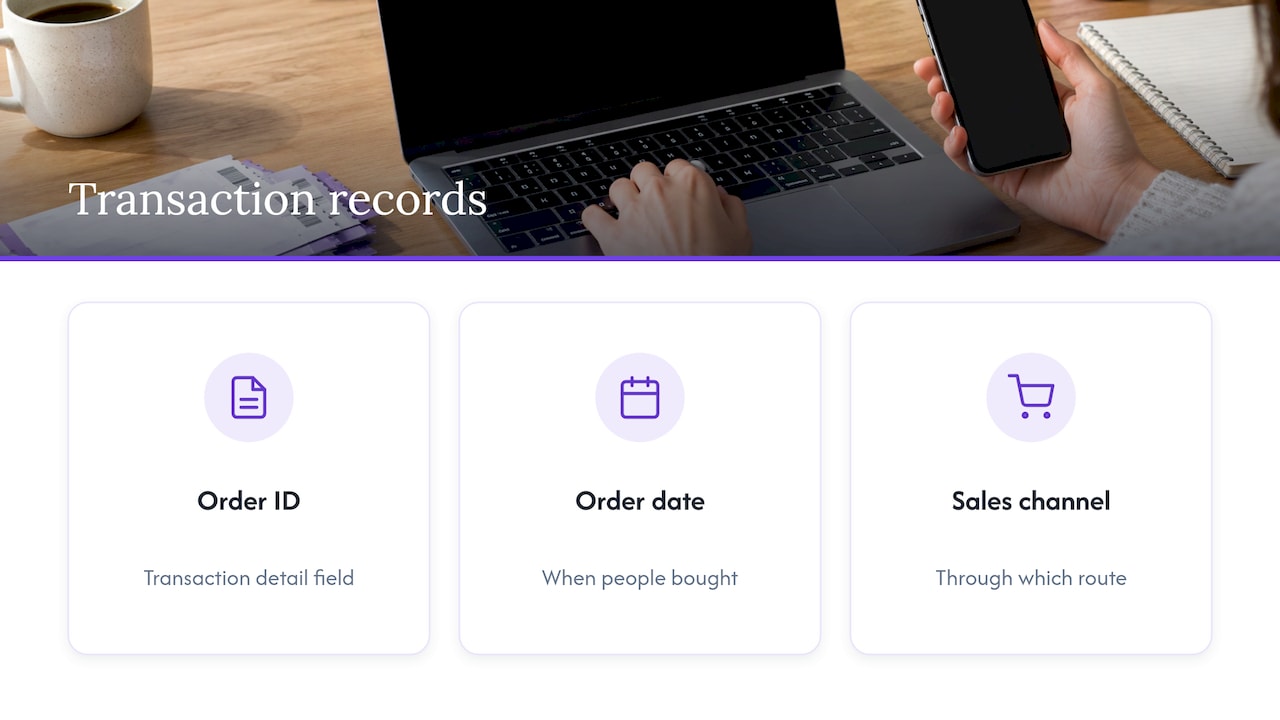
Baker Richards’ practical guidance on data and ticketing lists transaction detail such as the order ID, the date of the order and the sales channel, and notes it helps organisers understand average basket size and value. For a promoter, those three fields answer real questions: when did people buy, through which route, and how much did each order contain?
Buyer and attendance records
Add the buyer’s contact details, ticket type, and whether they attended. Ticketing and RSVP data are what tell you who committed, who showed and who paid, according to EventSuite’s guide to building a fan database. The same guide recommends stitching guest lists and comps to the same key as public buyers, and deciding that architecture before the marketing calendar launches. Without that, a buyer who is also on a comp list appears twice, and your repeat-buyer count is wrong.
Consent records
Store the permission alongside the contact: what the buyer agreed to, when, and through which form. A list without this record is a list you may not be able to use. The rules are set out below.
A simple field set
| Record | Why you keep it | Where it goes wrong |
|---|---|---|
| Order ID, date, channel | Pacing, channel performance, average order value | Channel left blank, so partner sales look like direct sales |
| Ticket type and quantity | Pricing tiers, capacity, comps | Comps counted as paid |
| Buyer email and postcode | Repeat buyers, where fans travel from | Typos and duplicate profiles |
| Marketing permission and date | Lawful follow-up | Permission not stored, or one tick covering everything |
| Referral code or link source | Crediting partners and campaigns | Code entered inconsistently |
| Attended or not | Show-up rate, true audience | Scans not matched back to the order |
For what to chart once the data exists, see what to track in ticketing analytics.
Affiliate and referral tracking for events
Readers who search for the best affiliate tracking for events usually want to know one thing: which partner, promoter or link produced which sale, and what they should be paid. The tool matters less than the set-up. Three things decide whether the numbers can be trusted.
1. One link per source
Give each partner, street team, influencer and campaign a distinct tracked link, rather than one shared link or a code that people type by hand. A link carries its source automatically. A typed code depends on the buyer remembering it, and anything not typed falls into “direct”.
Use consistent campaign tags, written the same way every time. “Instagram”, “instagram” and “IG” become three rows in a report unless you fix a naming rule first.
2. A written crediting rule
Decide in advance, in writing, how a sale is credited. Common rules are last click wins, or first click wins within a fixed window. Pick one, state the window, and say what happens when a buyer clicks two partners’ links. Disputes with partners usually start from an unwritten rule, not from bad data.
Also decide what counts as a sale. Is it an order at checkout, or a ticket that is not refunded? Paying on completed, paid orders keeps partner payments aligned with the money you actually receive.
3. Tracking connected to the sales record
Partner and ad-platform numbers measure clicks and platform-reported purchases. Your ticketing record measures what was sold. Compare them. If an ad platform reports far more purchases than the ticketing system recorded, the tracking set-up is the first thing to examine. Lookport’s articles on Facebook ads for concerts and Meta Pixel events cover that reconciliation step, and the marketing integrations page lists what Lookport Ticketing connects to.
The same discipline applies if you test whether a campaign created sales or merely claimed ones that would have happened anyway. EventSuite’s guide suggests holdout groups to measure incrementality rather than only open rates. A holdout is a slice of your list that does not get the message, so you can compare its purchases with those of the group that did.
Using the data for marketing under UK law
Owning the list does not mean you can email it freely. Two regimes apply: UK GDPR for personal data, and PECR for electronic marketing.
The ICO’s guidance on electronic mail marketing says that, under PECR Regulation 22, you cannot email individuals for marketing unless they consented, or they are existing customers who bought or negotiated to buy a similar product or service. For the existing-customer route (the soft opt-in), you must have given a simple way to opt out when you collected their details and in every message. You must not disguise who you are, and you must give a valid address for opting out.
In ticketing terms:
- A fan who bought a ticket to your last show can be a soft opt-in contact for a similar show, if you offered the opt-out at checkout and include it in every email.
- A fan on a partner’s list, a competition entrant, or someone who only joined a guest list is not automatically covered. Get consent.
- Corporate subscribers are treated differently. The ICO’s guidance on choosing a lawful basis says PECR sets no requirement for corporate subscribers, and the likely lawful basis is legitimate interests or consent. For individual subscribers, it is consent or the soft opt-in under PECR, with consent or legitimate interests as the likely data protection basis.
Because you are the controller, you hold these duties, not the platform. Record the basis for each list, keep the opt-out working, and apply the same rule to lists you build from partner activity. If you are unsure which basis fits a particular list, take advice from a data protection adviser or solicitor before sending.
Turning ticketing data into audience segments
With clean records you can build segments that match how people actually behave. EventSuite’s guide suggests groups such as repeat buyers, city-based fans, genre affinity, early birds, code users, lapsed buyers and VIP comp lists. Start with three:
- Repeat buyers. They need an early notice, not a discount.
- Early birds. They respond to being told first. Plan the announcement around them.
- Lapsed buyers. People who bought two years ago and nothing since need a reason to return, such as a new date near them.
For email approaches that sell tickets without paid ads, this walkthrough on email marketing for musicians is a useful companion when you are writing the sequences. Keep each send tied to the permission recorded for that contact.
Once the first days of an on-sale are in, you can look at how early buyers behave. Our article on using the first 72 hours of sales explains the method, its inputs and its limits, and our sales pacing forecast guide shows how to check a forecast against actual sales.
A set-up routine before the on-sale
Work through this once per show, or once per season if you reuse the configuration.
- Confirm roles. You are the controller. Write down who processes what, including any marketing tools you connect.
- Choose the fields. Use the table above, and drop any field you will not use.
- Set the checkout permission. Make the marketing opt-in and opt-out clear and separate from the purchase.
- Name your channels. Agree the tag list before partners get links.
- Write the crediting rule. Window, click rule, what counts as a sale.
- Create one link per source. Test each link end to end before sending it out.
- Set a reconciliation day. Compare ad and partner reports with the ticketing record weekly during the on-sale.
- Merge guest lists. Match comps and guest lists to the buyer key after the show.
- Update the budget. Put actual sales and acquisition costs back into your break-even model.
If you are comparing systems for this, the guide to choosing a ticketing platform sets out the criteria in order.
Where Lookport Ticketing fits
Lookport Ticketing is for concert promoters, event organisers and venues. Ticket proceeds are paid directly into your own Stripe account, so the money from your sales is yours rather than held in a platform balance. The commission is 6%, with no other Lookport charges, and availability follows the countries Stripe supports. The Ticketing page describes the features that are live now, and the pricing page states the commission.
To see what a show needs to sell, enter your costs, ticket prices and capacity in the concert profit and tour budget calculator. It models costs, revenue and break-even, and it gives you the target the tracking above is meant to measure against.
FAQ
Who owns the data when I sell tickets through a platform?
In UK GDPR terms the question is who is the controller. As the organiser deciding why and how buyer data is used, you are normally the controller and the platform a processor acting on your instructions. Document the roles for each supplier you use.
Can I email everyone who bought a ticket?
Not automatically. Under PECR you need consent, or the soft opt-in for existing customers marketing a similar product, with an opt-out offered at collection and in every message. Marketing for an unrelated product, or to people who never bought, needs consent.
What do I need for affiliate or referral tracking on a ticket sale?
A unique tracked link for each partner, consistent campaign tags, a written crediting rule and a definition of a completed sale. Then compare partner reports with your ticketing record while the on-sale runs.
Which ticketing fields should I keep?
Keep the order ID, date, channel, ticket type, buyer contact, marketing permission with its date, referral source and attendance. Collect only what you will use, and keep the permission record with the contact.
Sources
- A guide to controllers and processors, ICO
- The event organiser’s perspective on data ownership, UFI
- Practical Strategies for Data and Ticketing, Baker Richards
- How to build a fan database for events, EventSuite
- Electronic mail marketing, ICO
- Sending direct marketing: choosing your lawful basis, ICO
Recommended
Ticketing & event budgeting
 2026-11-14
Concert Sales Curve: How UK Tickets Sell and How to Plan for It
Learn what a concert sales curve shows, how UK tickets typically sell from on-sale to show day, and how to check your pace against break-even.
 2026-11-12
Anti-Bot Ticketing: How UK Promoters Protect an On-Sale
How anti-bot ticketing works, what the UK ban on ticket bots means for promoters, and how to layer defences without blocking genuine fans at your on-sale.
 2026-11-11
GDPR for Event Marketing: A UK Promoter's Guide
How UK GDPR and PECR apply to event marketing: lawful basis, email and SMS consent, ticket-buyer privacy notices, retention and choosing CRM software.
 2026-11-10
Geo-Targeting Concert Ads: A UK Promoter's Guide
How to set up geo-targeted concert ads in the UK: choose radius, split tour dates by city, track ticket sales and stay within PECR consent rules.
 2026-11-09
Drip Pricing Rules in the UK: What Ticket Sellers Must Show
UK drip pricing rules for ticket sellers: which fees go in the headline price, how VAT on booking fees works, fines, and a checklist for promoters.
 2026-11-08
UTM Tracking for Events: A Practical Guide for UK Promoters
Learn how to tag event links with UTM parameters, name campaigns cleanly and read GA4 reports so you can see which marketing actually sells tickets.